The Proginter Blog
Practical guides and insights to help you get the most from your hosting.

How Cloud Hosting Handles Traffic Spikes That Would Crash a Traditional Server
Traffic spikes can crash a traditional server in minutes, but cloud hosting is built to absorb them. Here's how elastic resources, load distribution,...

Why Spammers Love Misconfigured Email Servers (And How to Deny Them the Opportunity)
Misconfigured mail servers are an open invitation for spammers. Here's what actually makes a server vulnerable and the concrete steps that shut spamme...

Browser Caching Headers Explained for People Who Just Want Faster Return Visits
Browser caching headers control how fast your site loads for people who've already visited once. Here's a plain-English breakdown of Cache-Control, ET...

What to Look for in an Ecommerce Hosting Solution When Your Product Catalog Is Growing Fast
As your product catalog grows from hundreds to thousands of items, your hosting needs change too. Here's what actually matters in an ecommerce hosting...

WAF Rules Explained: How Your Web Application Firewall Decides What to Block
A web application firewall makes split-second decisions on every request that hits your site. Here's exactly how those rules work, from signature matc...
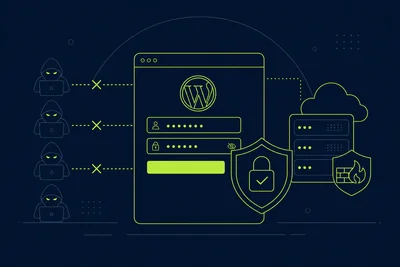
WordPress Login Security: Simple Changes That Stop the Majority of Brute Force Attempts
Most WordPress brute force attacks are automated and lazy. A handful of simple login changes, from a stronger username to two-factor authentication, w...

Cloud Hosting vs. Traditional Hosting: What Businesses Actually Experience Day to Day
Cloud hosting and traditional hosting look similar on paper, but the daily experience for a business owner is very different once traffic spikes, hard...

Email Spam Prevention Techniques That Work Without Annoying Your Real Subscribers
Effective email spam prevention isn't about locking down every send, it's about balancing filters, authentication, and list hygiene so real subscriber...

How Keep-Alive Connections Reduce the Overhead That Slows Down Every Request
Persistent connections quietly cut out repeated handshake overhead on every request. Here's how Keep-Alive works, how to configure it properly, and wh...

How the Right Ecommerce Hosting Solution Handles Black Friday Without Breaking a Sweat
Black Friday traffic can overwhelm an unprepared store in minutes. Here's how the right ecommerce hosting solution keeps checkout fast, stock accurate...

UDP Floods, SYN Floods, and HTTP Floods: How DDoS Protection Hosting Handles Each One
UDP floods, SYN floods, and HTTP floods each attack a different layer of your stack. Here's exactly how proper DDoS protection hosting stops each one.

How to Set Up Two-Factor Authentication on WordPress in Under Ten Minutes
Two-factor authentication is one of the fastest, most effective ways to lock down your WordPress login. Here's how to set it up properly in about ten...