Most WordPress site owners make the same mistake when shopping for a host: they compare CPU cores, RAM, and storage space like they're buying a laptop. Those numbers matter a little — but they're almost never the reason a WordPress site runs well or falls apart.
What actually determines your experience is how much of the operational work gets handled for you. That's the real promise of managed WordPress hosting — and it's worth understanding what that promise actually means before you hand over your credit card.
What Managed WordPress Hosting Actually Means
A standard hosting account gives you a server (or a slice of one) and mostly leaves you to figure out the rest. Security patches, server software updates, caching configuration, backups — that's on you.
Managed WordPress hosting flips that model. The host takes responsibility for the server-level work so you can focus on your site. In practice, this should include things like:
- Automatic WordPress core and server software updates
- Daily backups with a clear restore process
- Security monitoring and threat blocking at the server level
- Performance optimization (caching, PHP version management, etc.)
- Real support from people who actually know WordPress
The problem is that the term "managed" has been stretched thin. Some hosts use it to mean "we installed WordPress for you." That's not managed hosting — that's a one-time setup wizard.
The Features That Actually Matter
Backups You Can Actually Trust
Every host claims to do backups. The questions you should be asking are: how often, stored where, and how do you restore?
Daily backups are a baseline. But if your site is a WooCommerce store processing orders around the clock, a 24-hour backup window means up to 24 hours of lost order data in the worst case. For high-traffic or transactional sites, you want backups running multiple times a day — ideally stored separately from the primary server so a hardware failure doesn't wipe both your site and your backups.
We run automatic daily backups for every site we host, and clients who need tighter recovery windows can increase backup frequency up to four times per day. That matters when data loss isn't just an inconvenience — it's a business problem.
Also check: can you restore with a few clicks, or do you have to open a support ticket and wait? The restore process is just as important as the backup itself.
Staging Environments
This one separates the serious managed WordPress hosts from the basic ones. A staging environment lets you clone your live site, test changes — plugin updates, theme redesigns, new functionality — and only push to production when you're confident nothing broke.
Without staging, every change you make on your live site is a gamble. Plugin conflicts, failed updates, and layout-breaking edits happen. They're much easier to deal with on a staging site than on a live one.
Look for a host where promoting a staging site to production is a simple, documented process — not something that requires manual file transfers or support involvement. We handle this with a direct "move to production" option, which either promotes the stage instantly on the same server or runs a full migration if you're moving it to a different server.
Server-Level Security, Not Just Plugins
WordPress security plugins are useful, but they operate at the application layer. By the time a malicious request reaches your WordPress installation, it's already consuming server resources. A good managed WordPress host handles the first line of defense before requests even hit your PHP process.
This means a web application firewall (WAF) at the server or network level, DDoS protection, and active monitoring. If your host only offers a security plugin recommendation, that's a sign they're not truly managing the infrastructure.
PHP Version Control and Server Software Management
Running an outdated PHP version is one of the most common and preventable performance problems on WordPress sites. PHP 8.x is significantly faster than PHP 7.x for most WordPress workloads — but many site owners don't know what version they're on, let alone how to change it.
Your managed host should make PHP version management straightforward, and ideally handle server software updates automatically. You shouldn't need to SSH into a server to stay current.
Questions to Ask Before You Commit
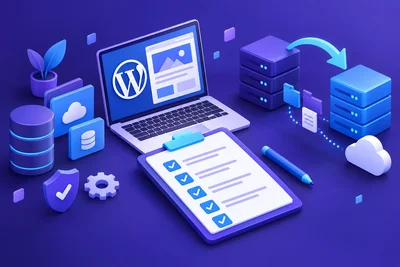
When evaluating managed WordPress hosting options, run through this checklist:
- Backups: How often? Where are they stored? How do I restore?
- Updates: Who handles WordPress core updates? What about server patches?
- Staging: Is a staging environment included, and how do I deploy changes?
- Security: Is there a WAF? DDoS protection? How is malware handled?
- Support: What are the response times? Does the team actually know WordPress?
- Scalability: What happens if my site gets a traffic spike?
If a host can't answer these questions clearly, that's your answer.
Managed Hosting vs. DIY: Which One Is Right for You?
Managed WordPress hosting costs more than shared or unmanaged VPS hosting. That's just true. The question is whether that cost is worth it for your situation.
If you're a developer who enjoys server administration, an unmanaged VPS might make sense. You have full control, and you know what you're doing.
But if you're a business owner, an agency running client sites, or anyone who'd rather spend time on their actual work than on server maintenance — managed WordPress hosting is almost always the better investment. The cost of a managed plan is almost always less than the cost of a single incident: a hacked site, a failed update, or an hours-long outage during peak traffic.
One Thing Most People Overlook
People focus a lot on the initial setup and the price. They don't think enough about the recovery scenario. What happens when something goes wrong?
Because something will go wrong eventually. A plugin update breaks your checkout. A traffic spike takes down your site. A bad actor finds a vulnerability. The quality of your managed WordPress hosting shows up most clearly in those moments — how fast you can recover, and how much of that recovery is handled for you.
Choose a host based on how they perform when things break, not just how smoothly things run when everything's fine.