You built your WordPress site to grow your business, share your work, or serve your audience — not to spend your evenings troubleshooting server errors and chasing down plugin conflicts. But if you've ever been on a basic shared host, you know how quickly the technical side of things can eat into your time.
That's the real promise of managed WordPress hosting: someone else handles the infrastructure so you can focus on what actually matters. But not all managed hosting is created equal. Some providers slap the word "managed" on a shared server and call it a day. Others genuinely take the operational burden off your plate.
Here's what actually makes a difference — and what to look for when you're evaluating your options.
Why Managed WordPress Hosting Exists in the First Place
WordPress powers over 40% of the web, but it's not a fire-and-forget platform. It needs updates, caching, security monitoring, and performance tuning to run well. On a generic shared host, all of that falls on you.
Managed WordPress hosting shifts that responsibility. The host takes care of the server-level work — updates, backups, security patches, performance configuration — so you're not the one staying up late because your site went down at 2am.
The question is: which parts of that management actually move the needle for a busy site owner?
Automatic Backups You Can Actually Use
Every host claims to do backups. The difference is in the details.
A backup that lives on the same server as your site isn't really a backup — it's a copy that disappears along with everything else if the server has a serious problem. What you want is automatic backups stored separately, with a clear history you can browse and restore from at any point.
Even better: the ability to restore a single file or database table, not just the entire site. If a plugin update corrupts one table in your database, you don't want to roll back three days of content just to fix it. Granular restore options save you from that kind of painful trade-off.
We run automatic backups on a regular schedule and store them separately from your site files. You can browse the backup history, restore individual files or databases, and even generate a shareable download link if you need to hand a backup off to a developer. It's the kind of backup system that's actually useful when something goes wrong — not just a checkbox on a marketing page.
Performance Optimization Built Into the Hosting Layer
WordPress performance is a deep topic, but most of the heavy lifting happens at the server and configuration level — not inside your theme or content.
Object Caching Changes Everything
By default, WordPress queries the database on every page load. For a small site with low traffic, that's fine. For anything with real volume, it becomes a bottleneck fast.
Object caching — typically powered by Redis — stores the results of database queries in memory so WordPress doesn't have to repeat the same work over and over. The difference in response time can be dramatic, especially for WooCommerce stores or membership sites with lots of dynamic content.
This isn't something you configure inside WordPress. It lives at the server level, which is exactly why it matters that your managed WordPress hosting provider handles it for you.
A Real Optimization Toolkit, Not Just a Caching Plugin
Most WordPress users install a caching plugin and call it done. But there's a lot more you can do: minifying HTML, deferring JavaScript, lazy loading images, combining CSS files, preloading your largest contentful paint element, and injecting critical CSS so above-the-fold content renders instantly.
Each of these has a measurable impact on Core Web Vitals scores — which affect both user experience and search rankings. The challenge is that configuring all of this manually, across multiple plugins, is time-consuming and easy to get wrong.
A good managed WordPress host bakes these optimizations into the platform itself. We include a built-in optimizer that covers all of these categories — from JavaScript delay to WooCommerce-specific asset loading — with a one-click preset that applies maximum performance settings without you needing to understand every option.
A Centralized WordPress Dashboard That Saves You Clicks
If you manage more than one WordPress site — or even just one that you update regularly — the friction of logging in, running health checks, and diagnosing issues adds up.
Look for a hosting panel that gives you a real WordPress-specific dashboard: one-click admin login without entering credentials every time, health checks that surface configuration problems before they become outages, and performance profiling that shows you exactly which plugin or query is slowing a specific page down.
That last one is underrated. When a page starts loading slowly, most people start deactivating plugins one by one until they find the culprit. A profiler that measures load time, database queries, and memory usage per component cuts that process from an hour to a few minutes.
Security Monitoring That Doesn't Require Your Attention
WordPress is a popular target precisely because it's popular. Outdated plugins, weak passwords, and unpatched core files are the most common entry points for attackers.
On a well-managed WordPress hosting plan, security monitoring happens at the server level — before malicious traffic even reaches your application. A web application firewall filters out known attack patterns. Vulnerability detection flags outdated or compromised components in your installation. And if something does get through, you have a clean backup to restore from.
The key word is automatic. Security that requires you to remember to check something isn't really security — it's a to-do list item that gets skipped when you're busy.
Managed Updates Without the Anxiety
WordPress core, plugin, and theme updates are a constant. They're also one of the most common sources of site breakage — a plugin update conflicts with your theme, or a core update changes a function a plugin depends on.
The right approach isn't to skip updates (that's how sites get hacked) or to apply them blindly (that's how sites break). It's to update with a backup in place, so if something goes wrong, you can roll back in minutes.
On a managed WordPress hosting plan, this workflow should be built in. Updates happen, backups are automatic, and if a restore is needed, it's a few clicks — not a support ticket and a two-hour wait.
What to Actually Prioritize
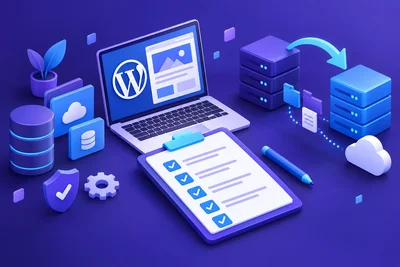
If you're evaluating managed WordPress hosting options, here's a practical checklist of what actually matters for day-to-day site ownership:
- Automatic backups stored off-server, with granular file and database restore options
- Server-level caching (Redis object cache) included and pre-configured
- Built-in performance optimization tools that go beyond basic page caching
- A WordPress-specific control panel with health checks, profiling, and one-click admin access
The goal isn't to find a host that does everything for you while you stay completely hands-off. It's to find one that handles the operational work so your hands are free for the things that actually grow your site.
That's the real value of managed WordPress hosting — not a list of technical specs, but hours of your week back.