If you manage WordPress sites for clients, you already know the drill. A plugin update breaks something on a Friday evening. A client calls because their site is slow. You spend two hours troubleshooting a server configuration issue that has nothing to do with the actual work you were hired to do.
More and more freelancers and agencies are solving this problem the same way: by moving client sites to managed WordPress hosting. Not because it's trendy, but because it genuinely changes how they work — and how much time they spend on things that don't generate revenue.
The Real Cost of Unmanaged Hosting for Client Work
When you're managing five, ten, or twenty client sites on generic shared hosting, the overhead adds up fast. You're not just building and maintaining websites — you're also acting as a de facto sysadmin for every server those sites live on.
That means you're responsible for:
- Keeping PHP versions current across all environments
- Monitoring uptime and responding when something goes down
- Diagnosing performance issues that originate at the server level
- Managing backups and verifying they actually work
- Handling security incidents that could have been prevented at the infrastructure level
None of that is billable. And none of it is why your clients hired you.
We covered the broader financial picture in The Hidden Costs of Cheap Shared Hosting — but for agencies and freelancers specifically, the hidden cost isn't just money. It's time, mental load, and client trust.
What Managed WordPress Hosting Actually Changes for Agencies
The shift to managed WordPress hosting isn't just about offloading server maintenance. It changes the entire operating model for client work.
You Stop Being the Emergency Contact for Infrastructure Problems
On a well-run managed WordPress hosting platform, the infrastructure layer is handled for you. Server updates, security patches, PHP compatibility — that's not your problem anymore. When a client's site goes down at 2am, the hosting provider's monitoring systems catch it, not your phone.
That's a meaningful change. It means you can define your scope of work clearly: you build and maintain the WordPress site, not the server it runs on.
Backups Become Something You Can Actually Trust
One of the most stressful parts of managing client sites is knowing that a bad update or a hacked site could mean hours of recovery work — or worse, permanent data loss.
Good managed WordPress hosting runs automatic daily backups to a separate location. We do this by default, so every client site has a reliable restore point without anyone having to remember to set it up. You can browse backups at the file level, restore individual files or entire databases, and even generate a shareable download link if a client needs a copy. That kind of granular control matters when you're doing a recovery under pressure.
It also means you can take on riskier updates — major plugin upgrades, theme overhauls, WooCommerce migrations — with a lot more confidence. The safety net is already there.
Performance Optimization Stops Being a Separate Project
Client sites on shared hosting often need a whole separate engagement just to get page speeds to an acceptable level. You're installing caching plugins, configuring CDNs, fighting with image optimization — and even then, the server itself is often the bottleneck.
On a managed WordPress platform, a lot of that work is handled at the infrastructure level. Server-side caching, Redis object caching, and built-in optimization tools mean you're starting from a much better baseline. We include a WordPress optimizer that handles things like HTML minification, JavaScript deferral, unused CSS removal, and LCP preloading — all configurable without touching code. For agencies delivering sites to clients, that's a significant time saver.
If you want to go deeper on what actually moves the needle for WordPress speed, this practical guide to WordPress speed optimization is worth reading alongside your hosting setup.
The Client Management Angle: Access Without Chaos
One underrated advantage of managed WordPress hosting for agencies is how it handles multi-user access. When you're working with a team — developers, designers, project managers — and also need to give clients some level of visibility, access control gets complicated fast.
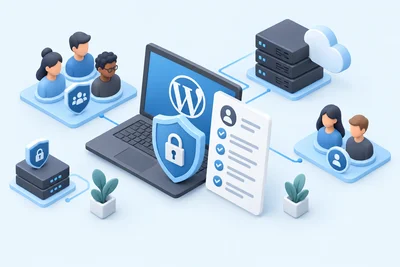
A good managed hosting platform lets you invite collaborators with scoped permissions. You can give a developer full access to a specific site without touching anything else. You can give a client read-only access so they can check on things without accidentally breaking something. Invitations go out by email, permissions can be adjusted or revoked at any time, and you stay in control of who can do what.
For agencies managing multiple clients on the same platform, this is the difference between a clean, professional operation and a constant permission headache.
Why Clients Notice the Difference Too
When you move a client site to managed WordPress hosting, the improvements aren't invisible to them. Faster load times, better uptime, and fewer "the site is broken" calls all reflect directly on you as their developer or agency.
Clients don't know or care what's happening at the server level. What they notice is that their site is fast, it's always up, and when they need something fixed, it gets fixed quickly. That's what builds long-term client relationships — and what justifies your retainer.
There's also a security dimension that clients increasingly care about. A managed WordPress environment with server-level firewalls, malware scanning, and automatic threat mitigation means you can honestly tell clients their site is protected — not just by a plugin, but by the infrastructure itself. For more on what that looks like in practice, see how hosting-level security protection actually works.
How to Evaluate Managed WordPress Hosting for Agency Use
Not all managed WordPress hosting is the same. When you're evaluating options for client work specifically, here's what actually matters:
- Staging environments — You need to be able to test changes before pushing them live. This is non-negotiable for client work.
- Granular backup and restore — File-level restore, not just full-site rollbacks. You'll thank yourself the first time you need to recover a single database table.
- Multi-user access controls — The ability to invite team members and clients with different permission levels.
- Built-in performance tools — Server-side caching, Redis support, and WordPress-specific optimization without requiring a stack of third-party plugins.
- Transparent monitoring and alerts — You should know when a client site goes down before your client does.
- Support that understands WordPress — Generic hosting support is useless when you have a WordPress-specific problem. Make sure the team you're calling actually knows the platform.
Making the Switch: What to Expect
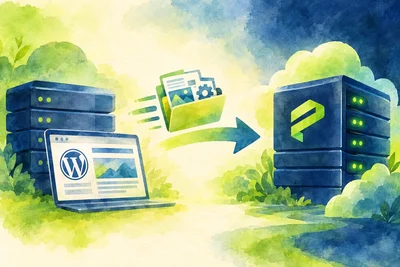
Moving client sites to a new hosting environment sounds daunting, but on a managed WordPress platform, the migration process is usually straightforward. Most providers handle the technical side of the migration for you, and a good staging environment means you can verify everything works before flipping the DNS.
The first few weeks after a migration are mostly about confirming that everything behaves as expected — email, forms, payment gateways, custom integrations. After that, most agencies find they're spending significantly less time on reactive maintenance and more time on the work they actually want to be doing.
For a detailed look at what that transition period looks like, Switching to Managed WordPress Hosting: What the First 30 Days Actually Look Like walks through it step by step.
The Bottom Line
Freelancers and agencies are moving client sites to managed WordPress hosting because the math is simple: less time on infrastructure means more time on billable work. Better performance and reliability means happier clients. Stronger security means fewer emergencies.
The hosting environment you put your clients on is a reflection of your professionalism. Choosing managed WordPress hosting isn't just a technical decision — it's a business one.
For more on what to look for when evaluating your options, see our WordPress hosting overview and the staging environment details that matter most for agency workflows.