Switching hosts is one of those decisions that feels simple until you actually do it. You click a few buttons, move some files, and suddenly your rankings drop, your traffic dips, and you're left wondering what went wrong. The truth is, migrating WordPress isn't just a technical task. It's an SEO event, and if it's handled carelessly, it can undo months or years of ranking progress.
This is exactly why a careful WordPress migration service matters so much. Done right, a migration should be invisible to Google and invisible to your visitors. Done wrong, it can tank your search visibility for weeks.
Why Migrations Put Your SEO at Risk
Search engines index your site based on a mix of signals: URLs, server response codes, page speed, uptime, and content consistency. When you move hosts, every one of those signals can shift at once.
Here's what commonly goes wrong during a DIY migration:
- URLs change slightly (trailing slashes, HTTP vs HTTPS) and create duplicate content issues
- Redirects get forgotten, leading to broken pages and lost link equity
- DNS propagation causes temporary downtime that Googlebot notices
- Database errors break internal links or strip metadata
- SSL certificates don't transfer properly, triggering security warnings
Any one of these can cause a ranking dip. Combine two or three, and you're looking at a real recovery project instead of a smooth transition.
The Role of a WordPress Migration Service in Preventing These Issues
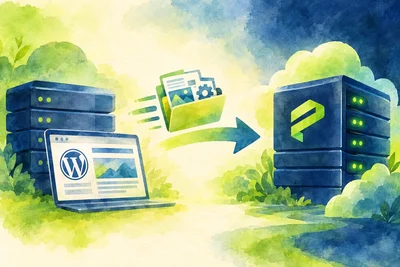
A proper WordPress migration service treats the move as a sequence of checkpoints, not a single copy-paste action. Instead of just transferring files and hoping for the best, it accounts for every piece that search engines care about.
That typically includes:
- Cloning the full site, including the database, media library, and plugin configurations, without altering file structure
- Testing the new environment on a temporary URL before anything goes live
- Verifying that permalinks, canonical tags, and internal links stay exactly the same
- Scheduling DNS changes during low-traffic windows to reduce visible downtime
- Reissuing SSL certificates immediately so HTTPS never breaks
None of this is glamorous work. But it's the difference between a migration nobody notices and one that shows up as a traffic drop in your analytics three days later.
DNS Propagation and Why Timing Matters
One of the most misunderstood parts of a host switch is DNS propagation. When you update your DNS records to point to a new server, that change doesn't happen instantly everywhere. It can take anywhere from a few minutes to 48 hours depending on your TTL settings and how different networks cache records.
During that window, some visitors (and some Googlebot crawl requests) might hit your old server while others hit the new one. If the old server gets shut down too early, you'll serve errors to anyone still pointed there, including search engine crawlers. If you're curious about how this process works in more depth, we've covered it in other posts on DNS management.
A good migration plan keeps both the old and new servers running in parallel until propagation fully completes, so nobody ever sees a broken page.
Preserving Your URL Structure
Search engines treat every unique URL as a distinct page with its own ranking history. If your migration accidentally changes URL structures, even subtly, you risk losing the accumulated authority those pages built up over time.
Common URL mistakes during migration include:
- Switching from www to non-www (or vice versa) without a proper 301 redirect
- Changing the site from HTTP to HTTPS without updating the sitemap and internal links
- Losing custom permalink settings during a database import
If a URL change is unavoidable, every old URL needs a 301 redirect pointing to its new equivalent. Redirect chains (A to B to C) should be flattened into single hops wherever possible, since Google doesn't always follow long chains reliably.
Backups: Your Safety Net During the Move
Even with careful planning, things can go sideways. A plugin conflict, a corrupted database table, a missed file. This is why a full backup before and during migration isn't optional, it's the thing that turns a potential disaster into a minor hiccup.
We run full backups before any migration step, so if something doesn't look right on the new server, we can roll back instantly instead of troubleshooting live. For more on how this kind of safety net works day to day, see our overview of automatic backups.
Post-Migration SEO Checks You Shouldn't Skip
Moving the site is only half the job. After the switch, there's a short list of things worth checking right away:
- Confirm Google Search Console still verifies ownership and sitemap submission works
- Crawl the new site with a tool like Screaming Frog to catch broken links or missing redirects
- Check page speed and server response times, since a slower new host can hurt both rankings and user experience
- Verify SSL is active site-wide with no mixed content warnings
- Watch your analytics for the first two weeks to catch anything unusual early
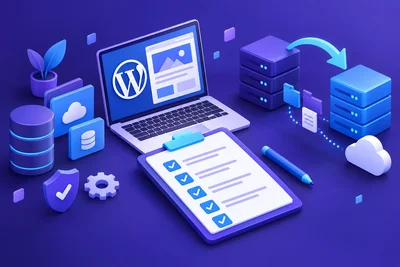
If you're planning a move yourself, our pre-migration checklist walks through what to prepare before you even start. And if you want a detailed look at a real move from start to finish, this walkthrough covers exactly what that process looks like.
Why Server Quality Matters After You Land
Your SEO doesn't stop mattering the moment the migration finishes. The new server's speed, uptime, and configuration will shape your rankings going forward just as much as the migration itself did. A host with slow response times or frequent downtime can quietly erode the rankings you worked to protect during the move. For a deeper look at how hosting infrastructure affects WordPress performance long-term, our post on managed WordPress hosting is a good next read.
The Bottom Line
A host switch doesn't have to be an SEO gamble. The sites that come through migrations unscathed are the ones where every detail got checked: URLs, redirects, DNS timing, SSL, and backups. Skip any of those, and you're rolling the dice with rankings you've spent real time and money building.
If you're moving soon, treat the migration with the same care you'd give a product launch. Plan it, test it, and verify it afterward. Your search rankings will thank you.