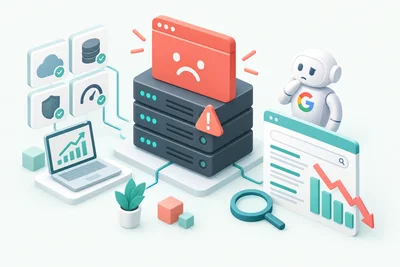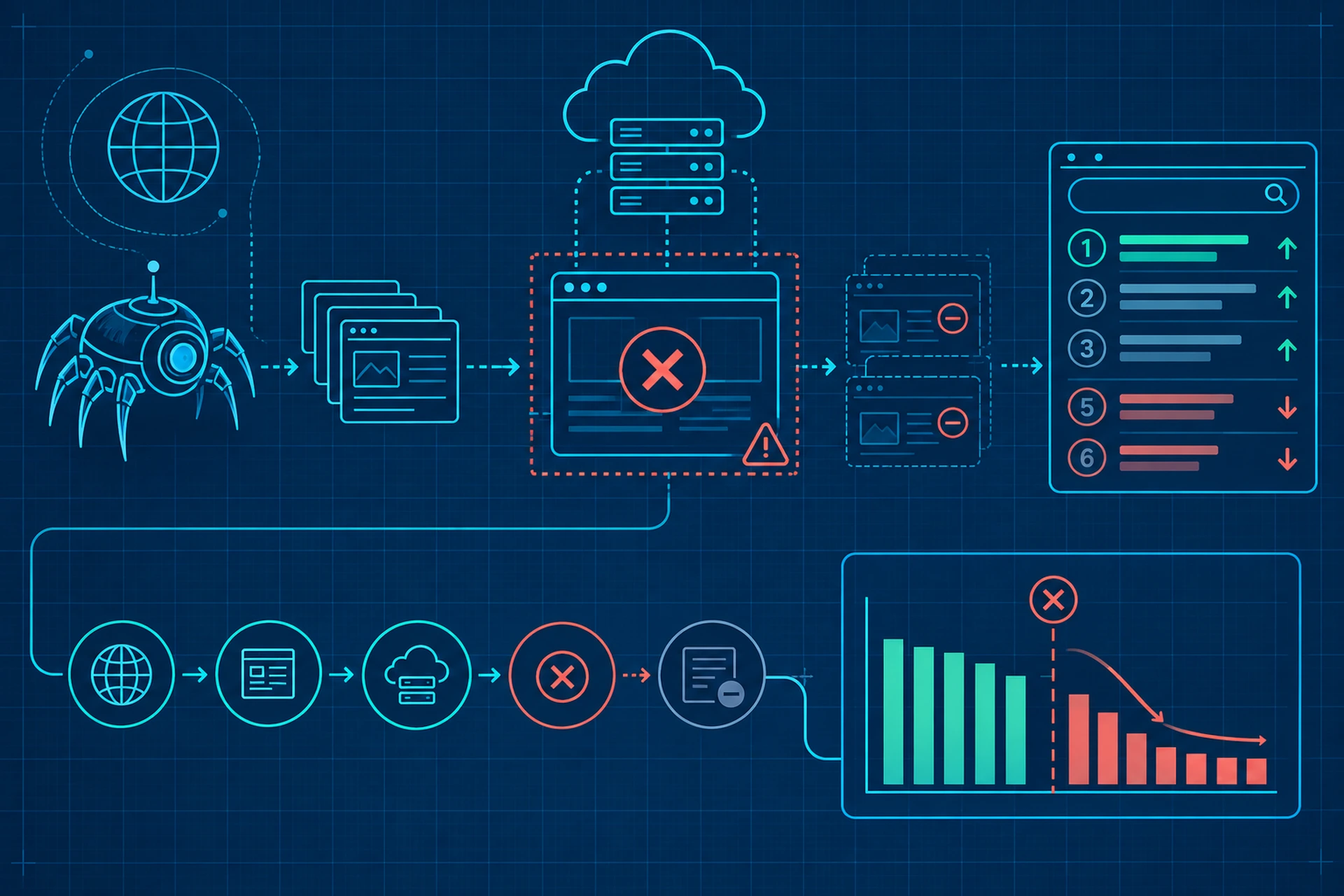
You check your analytics and notice something odd. Your top pages dropped a few positions, and there's no obvious reason why. No algorithm update, no content change, nothing in Search Console screaming for attention. Then you check your uptime logs and find it: a 20-minute outage, right when Googlebot came knocking.
This is one of the quieter ways downtime damages your SEO. It's not just about losing visitors during the outage itself. It's about what happens when a search engine tries to visit your site and gets nothing back.
What a Crawl Window Actually Is
Search engines don't crawl your site constantly. They allocate a certain amount of attention to your domain based on factors like site size, update frequency, and server reliability. This is often called your crawl budget, and the periods when Googlebot actually visits are your crawl windows.
For smaller sites, crawl windows might happen once a day. For larger, frequently updated sites, they can happen many times throughout the day. Either way, if your server is down or returning errors during one of these windows, Googlebot doesn't wait around. It tries, fails, and moves on.
Why Timing Makes the Damage Worse
A five-minute outage at 3 a.m. when nobody's crawling might go completely unnoticed. The exact same five-minute outage during a scheduled crawl window can mean an entire category of pages gets marked as unreachable. Timing matters just as much as duration here.
This is part of why server response time plays such a direct role in SEO performance, even when nobody's actively complaining about speed.
What Happens When Googlebot Hits a Dead Server
When Googlebot requests a page and gets a connection timeout, a 5xx error, or no response at all, it doesn't just shrug and try again a minute later. A few things happen instead:
- The failed request gets logged, and repeated failures lower your site's perceived reliability score.
- Googlebot may slow its crawl rate for your domain, assuming your server can't handle frequent requests.
- Pages that couldn't be crawled keep their last known state in the index, which is fine short-term but becomes a problem if the outage repeats.
- If the outage coincides with a scheduled recrawl of a recently updated page, that update might not get indexed until the next window, sometimes days later.
None of this is catastrophic after one bad afternoon. The real damage comes from repetition.
The Compounding Effect of Repeated Crawl Failures
Google's crawling systems adapt based on patterns. If your server consistently fails or responds slowly during crawl attempts, Google adjusts its expectations for your site downward. It starts allocating less crawl budget, visiting less frequently, and treating your content as less time-sensitive.
This creates a frustrating cycle for site owners. Less crawling means slower indexing of new content. Slower indexing means your fresh pages take longer to show up in search results. And by the time Google does get around to a full recrawl, you might have already missed the ranking window for timely content.
We touched on a related angle in how frequent downtime trains Googlebot to visit less and index slower, but it's worth repeating here: crawl behavior is learned behavior. Google doesn't forget a pattern of instability overnight.
It's Not Just About Googlebot Either
Bing, DuckDuckGo's crawler, and various SEO tools that audit your site all run into the same wall when your server is unreachable. If your rank tracking tools show sudden drops in indexed pages or crawl errors spiking in Search Console, a crawl-window outage is often the quiet cause.
Why Monitoring Website Uptime for SEO Matters More Than You'd Think
Most site owners think of uptime monitoring as a tool for catching outages before customers notice. That's true, but there's a second benefit that gets overlooked: catching outages before search engines notice.
Good uptime monitoring checks your site from multiple locations every minute or two, alerting you the moment something goes wrong. That alert gives you the chance to fix the issue before it overlaps with a crawl window, rather than finding out after the fact when your rankings have already taken a hit.
This is a big part of why we run automated uptime monitoring as a standard part of managed hosting. Catching a server issue in the first few minutes, instead of discovering it hours later through a ranking drop, makes a real difference for sites that depend on consistent organic traffic.
Practical Steps to Protect Your Rankings From Crawl-Window Downtime
You don't need an enterprise-level setup to reduce this risk. A few practical habits go a long way:
- Set up uptime checks that run every one to five minutes, not every thirty.
- Review your server logs periodically to see when Googlebot actually visits, so you know your highest-risk windows.
- Keep a buffer of server resources for traffic spikes, since resource exhaustion is one of the most common causes of crawl-time outages.
- Make sure your hosting environment has reliable backups in place, so a bad deploy or corrupted database doesn't turn into extended downtime while you scramble to restore.
If you want a deeper walkthrough on tracking uptime specifically for search engine health, we covered the setup process in how to monitor website uptime in a way that actually protects your SEO.
The Bottom Line
A single outage probably won't tank your rankings. But if that outage happens to line up with a crawl window, and it happens more than once, you're training search engines to trust your site less. That lower trust translates into slower indexing, reduced crawl frequency, and eventually, rankings that quietly slip without any obvious cause.
Website uptime for SEO isn't just a nice-to-have metric buried in a monitoring dashboard. It's one of the few things entirely within your control that directly shapes how search engines perceive and treat your site over time. Keep your server reliable, catch problems fast, and your crawl windows stay productive instead of becoming a liability.