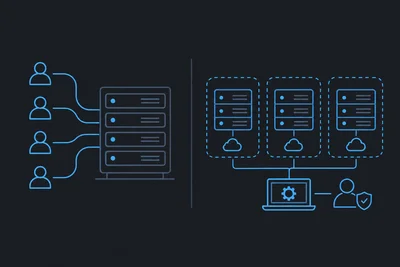
Running a website sounds simple until you realize what's actually keeping it online. Behind every fast-loading page is a server that needs patching, monitoring, securing, and babysitting — constantly. Most website owners don't sign up for that job. They sign up to run a business.
That's the real promise of managed web hosting: someone else handles the infrastructure so you can focus on what you actually built your site to do. But what does that actually look like in practice? Here's a clear-eyed look at the server tasks that quietly disappear when you're on a managed plan.
The Server Work That Never Stops
A server isn't a set-it-and-forget-it appliance. It's a living system that needs constant attention. Here's what that looks like on an unmanaged setup:
- Operating system updates and security patches need to be applied regularly — and tested before they break something.
- Server software (web servers, PHP versions, database engines) needs to be kept current.
- Logs need to be monitored so you catch problems before your visitors do.
- Firewall rules need to be configured and updated as new threats emerge.
- Uptime needs to be tracked so you know the moment something goes down.
- Backups need to run, be verified, and be stored somewhere safe.
On a self-managed VPS or dedicated server, all of that lands on you — or on a sysadmin you're paying to handle it. Managed web hosting shifts that entire burden to your provider.
Security Patching and OS Updates
This is the one that bites people most often. A known vulnerability gets published. A patch is released. And somewhere, a server owner doesn't apply it in time.
Security patches aren't optional — they're urgent. But applying them isn't always straightforward. Updates can conflict with existing software, break dependencies, or require a server restart at the worst possible moment. On a managed plan, your host handles this. Patches get applied on a schedule, tested, and rolled out without you needing to schedule a maintenance window or worry about what breaks.
The same goes for PHP version management, database engine updates, and web server configuration. These aren't glamorous tasks, but skipping them is how sites get compromised.
Uptime Monitoring and Incident Response
You can't watch your server 24 hours a day. But something should.
Uptime monitoring means your server is being checked at regular intervals — every minute or so — to confirm it's responding. If it goes down, an alert fires immediately. On a managed plan, that alert goes to your host's team, not just to you. They can investigate and respond before you've even seen the notification.
We track uptime and performance peaks continuously, so when something unusual happens — a traffic spike, a resource bottleneck, an unexpected process eating CPU — there's visibility into it right away. That kind of monitoring is hard to replicate on your own without dedicated tooling and someone available to act on it.
Firewall Management and Network Security
A server firewall isn't something you configure once and forget. Threat patterns change. New attack vectors emerge. IP ranges that were fine last month might be the source of malicious traffic today.
On a managed hosting plan, firewall rules are maintained at the infrastructure level. That means traffic gets filtered before it even reaches your application. Bot lists get updated. Suspicious patterns get blocked. You don't need to know what a SYN flood is or how to write an iptables rule — that's handled for you.
This is one of those areas where the gap between managed and unmanaged hosting is most visible. A misconfigured firewall is worse than no firewall at all. Getting it right requires expertise and ongoing attention.
Backups — The Task Everyone Forgets Until They Need It
Ask any developer about their worst day, and there's a good chance it involves data loss and no recent backup.
Backups are one of those tasks that feel optional right up until they're not. On a managed plan, they run automatically on a regular schedule — no cron job to configure, no storage bucket to set up, no manual process to remember. You can also create a manual backup any time you want, browse individual files within a backup, and restore specific files or databases without rolling back your entire site.
The ability to restore a single file — not just the whole site — is more useful than it sounds. If a plugin update corrupts a template file, you don't want to roll back three days of content to fix it. File-level restore makes that kind of surgical recovery possible.
Performance Monitoring and Resource Tracking
Slow sites don't always announce themselves. Sometimes performance degrades gradually — a query gets slower, a plugin starts leaking memory, traffic grows past what the current configuration handles well. Without visibility into what's happening at the server level, you're flying blind.
Managed web hosting gives you real-time metrics: CPU usage, memory consumption, per-site resource breakdowns, and historical data to spot trends. You can see which website on your server is consuming the most resources, when performance peaks happen, and what the activity log shows leading up to an incident.
That kind of visibility used to require dedicated monitoring tools and someone who knew how to read them. On a managed plan, it's built in.
What You Actually Get Back
The value of managed web hosting isn't just convenience — it's compounding time savings. Every hour you're not troubleshooting a failed update, chasing down a security alert, or manually verifying a backup is an hour you're spending on your actual work.
For small business owners, that's time spent on customers. For developers, it's time spent building. For agencies, it's time spent on client work instead of infrastructure.
The server still needs all that maintenance. It just doesn't need you to do it.
A Quick Checklist: What a Good Managed Host Should Handle
- Automatic OS and security patching
- Continuous uptime monitoring with fast incident response
- Firewall configuration and ongoing rule management
- Scheduled automatic backups with file-level restore
- Real-time performance metrics and resource tracking
- Server software updates (PHP, database engines, web server)
If your current host isn't covering all of these, it's worth asking what you're actually paying for — and whether the gap is costing you more than you think.