You started a company. You built a product or a service. You have customers to take care of. The last thing you want to spend mental energy on is servers.
And yet, at some point, someone tells you that you need hosting. Then someone else says you need the right hosting. And suddenly you're reading about CPU cores, RAM allocation, and PHP versions like it's a second job.
If that sounds familiar, this is for you. Here's a practical breakdown of managed web hosting — what it means, what it actually does, and how to think about it as a founder who has better things to do.
What Managed Web Hosting Really Means
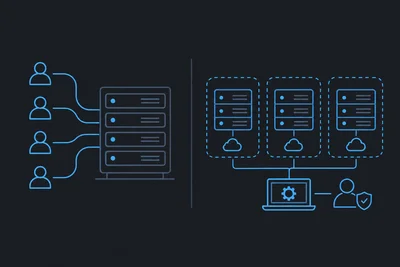
There are two broad types of hosting. With unmanaged hosting, you rent a server and you're responsible for everything running on it — security patches, software updates, performance tuning, backups. It's powerful and flexible, but it assumes you know what you're doing.
Managed web hosting is the other path. The provider handles the operational side of the server for you. Updates get applied. Security is monitored. If something breaks at 2am, that's their problem to fix, not yours.
Think of it like renting an apartment versus buying a house and doing all the maintenance yourself. Both give you a place to live. Only one requires you to fix the plumbing.
We covered this distinction in plain language in The Honest Difference Between Managed and Unmanaged Hosting if you want a deeper look.
What Actually Gets Managed (And Why It Matters)
The word "managed" gets thrown around loosely in hosting marketing. So it's worth being specific about what good managed hosting actually covers day-to-day.
Security and patching
Servers need constant attention. Operating system updates, PHP patches, firewall rule changes — these aren't one-time tasks. They're ongoing. On a managed plan, your provider applies patches as they come out, so your server isn't sitting exposed while you're focused on your business.
A firewall runs at the server level to block suspicious traffic before it reaches your site. A good host also runs a web application firewall that filters out malicious requests — SQL injections, brute-force login attempts, and the kind of automated scanning bots that probe sites constantly. For more on how that works, see our WAF overview.
Backups
At some point, something will go wrong. A bad plugin update. A botched deployment. A database that gets corrupted. When that happens, backups are the difference between a 10-minute recovery and a catastrophic loss.
We run automatic daily backups to a separate server, so your data is never at risk from the same event that might affect your main site. You shouldn't have to think about this — and on a managed plan, you don't. More details on how this works are on our backups page.
Performance and uptime
Slow sites lose visitors. Google penalizes pages with poor load times. A server that's properly configured, monitored, and tuned performs noticeably better than one that isn't. Managed hosting means someone is watching your server around the clock — and when a problem shows up, it gets caught before your customers notice.
SSL certificates
Every site needs HTTPS. On a managed plan, SSL certificates are handled automatically — installed, renewed, replaced when they expire. You'll never get that panicked email about your certificate being out of date.
What You Don't Need to Know
One of the most practical benefits of managed web hosting for founders is the list of things you never have to learn.
- How to configure a Linux server from scratch
- How to read and manage firewall rules
- How to safely apply operating system updates without breaking your stack
- How to diagnose a slow database query at the server level
- How to recover from a compromised server
None of that needs to live in your head. That's the whole point. We wrote a detailed post on exactly which tasks disappear when you're on a managed plan — Server Management Tasks You Never Have to Think About With Managed Hosting — which is worth a read if you want to know the full scope.
Is Managed Hosting More Expensive?
Yes, typically. A managed server costs more than an unmanaged one of the same spec. But the comparison isn't really server versus server — it's server versus server plus your time, your developer's time, and the risk of downtime or a security incident.
Consider a few real scenarios:
- A freelance developer charges $100/hour. If managing your server takes 5 hours a month, that's $500. A managed plan often costs less.
- An e-commerce site going down for 4 hours on a Saturday afternoon loses far more in sales than a year's worth of managed hosting fees.
- A data breach — even a minor one — can damage customer trust in ways that are hard to recover from.
The question isn't whether managed hosting is cheaper. It's whether the alternative is actually cheaper when you add everything up.
When Does Managed Hosting Make the Most Sense?
Managed web hosting is the right call in a few clear situations:
- You don't have in-house technical staff — If nobody on your team manages servers for a living, you're either outsourcing it anyway or leaving things unmanaged. Neither is ideal.
- Your site is revenue-generating — If downtime costs you money or customers, the reliability margin that managed hosting provides is worth paying for.
- You're running WordPress or another CMS — These platforms require regular core, plugin, and theme updates, plus their own layer of security hardening. A managed WordPress host handles this without you needing to stay on top of every update cycle.
- You're scaling — Growth introduces complexity. More traffic, more requests, more potential points of failure. Managed hosting scales with you and handles that complexity operationally.
What to Look for When Choosing a Provider
Not all managed hosting is equal. Some providers slap the word "managed" on a shared account with a few extra features. Here's what actually matters:
- Proactive monitoring — Are they watching your server around the clock, or just responding when you report a problem?
- Automatic backups — Where are backups stored? How often? How easy is it to restore?
- Security at the server level — Does the provider manage the firewall, apply patches, and handle intrusion detection? Or is that your responsibility?
- Real support — Can you reach someone who knows your server when something goes wrong? Response time and technical depth matter enormously.
- Transparent infrastructure — Can you see what's happening on your server, or is it a black box?
The Practical Takeaway
Managed web hosting exists to solve a real problem: most businesses need reliable, secure servers, but most businesses don't have the time or staff to manage them properly. For a non-technical founder, the value is simple — you get professional infrastructure without needing to become an infrastructure person.
Your job is to build and grow your business. A good managed host's job is to make sure your site is fast, secure, and running. When both sides do their job, the whole thing works quietly in the background — exactly as it should.