If your app feels sluggish under load even though your queries look fine on paper, the problem might not be your queries at all. It might be how your application connects to the database in the first place. Every new connection has a cost, and if you're paying that cost on every request, you're leaving a lot of performance on the table.
This is where connection pooling comes in. It's one of those unglamorous backend concepts that quietly makes a massive difference once you understand it.
What a Database Connection Actually Costs You
Opening a new database connection isn't free. For something like MySQL or PostgreSQL, a fresh connection involves a TCP handshake, authentication, session setup, and sometimes SSL negotiation. Depending on your setup, that can take anywhere from a few milliseconds to 50ms or more.
Now multiply that by every single request your app handles. If you're running a PHP application that opens and closes a connection per page load, and you're getting 100 requests per second, you're burning a noticeable chunk of your total response time just on connection setup, before a single query even runs.
We covered a related issue in Why Slow Database Queries Are the Hidden Bottleneck in Most Web Apps, but connection overhead is a separate problem entirely. Your queries can be perfectly optimized and indexed, and you'll still feel this tax on every request.
How Connection Pooling Solves This
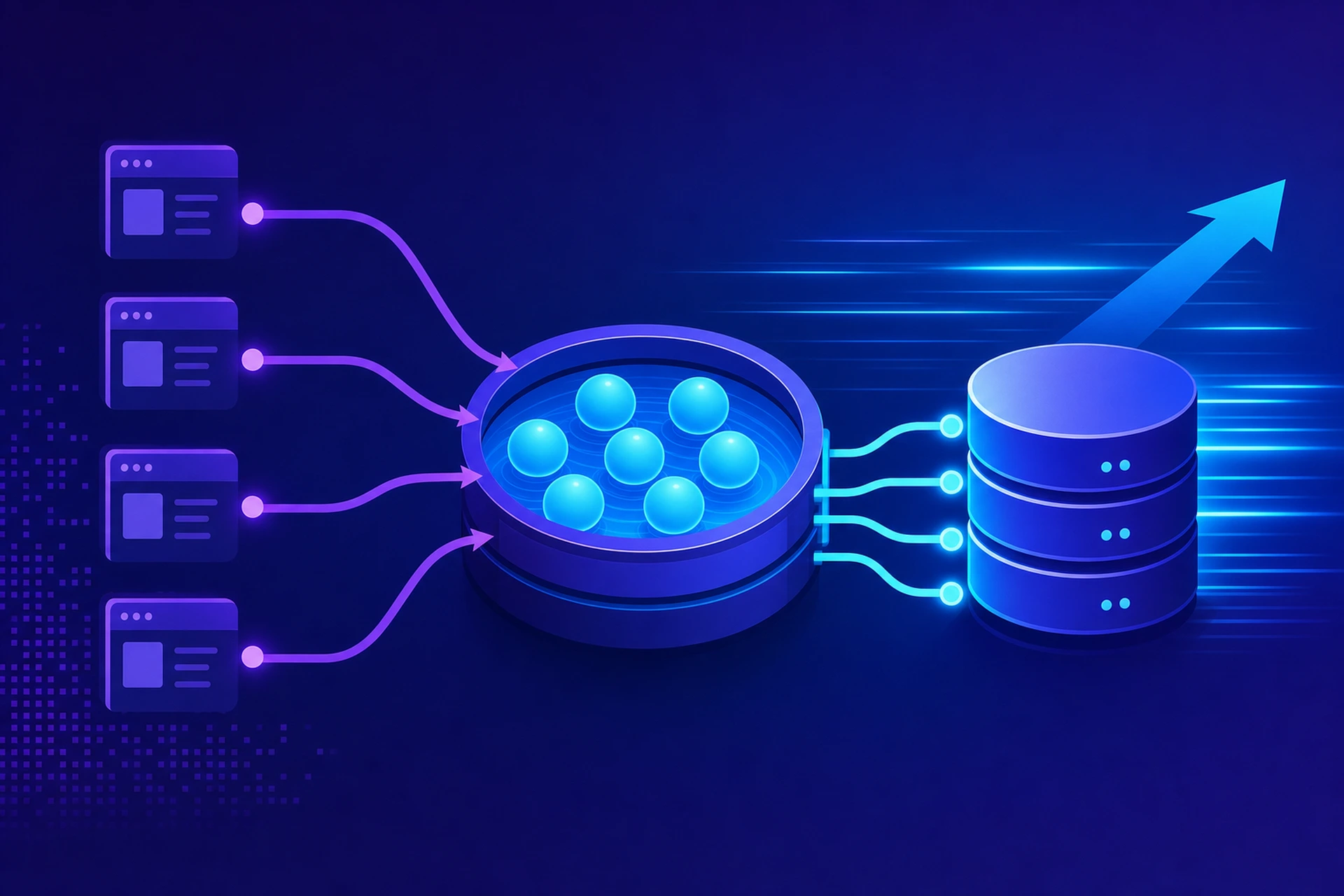
Connection pooling keeps a set of already-open database connections ready to go. Instead of opening a new connection for every request, your application borrows one from the pool, uses it, and returns it when it's done. No handshake, no re-authentication, no wasted milliseconds.
Think of it like a taxi rank instead of calling a new car service every single time you need a ride. The cars are already there, engines running, ready to go.
A Simple Example
Without pooling, a Node.js app using the mysql2 driver might look like this on every request:
const connection = await mysql.createConnection(config);
const [rows] = await connection.query('SELECT * FROM users WHERE id = ?', [id]);
await connection.end();
With pooling, you create the pool once, at app startup:
const pool = mysql.createPool({ host: 'localhost', user: 'app', database: 'mydb', connectionLimit: 20 });
And then every request just borrows from it:
const [rows] = await pool.query('SELECT * FROM users WHERE id = ?', [id]);
The connection setup cost only happens 20 times, once per connection in the pool, no matter how many thousands of requests come through afterward.
Real Numbers: What Pooling Actually Saves
The exact savings depend on your database, network latency, and workload, but here's a realistic picture from common benchmarks:
- Connection setup without pooling: 5ms to 50ms per request
- Connection setup with pooling: under 1ms (just grabbing an available connection)
- Under high concurrency (500+ requests/sec), unpooled connections can exhaust your database's max_connections limit entirely, causing errors instead of just slowness
- Well-tuned pools commonly cut average response time by 20-40% on database-heavy endpoints
That last point about max_connections is often the real emergency. PostgreSQL defaults to 100 max connections. MySQL defaults to 151. If your app opens a raw connection per request and traffic spikes, you'll hit that ceiling fast, and every request after that fails outright.
Choosing the Right Pool Size
A bigger pool isn't automatically better. Each open connection uses memory on the database server, and too many idle connections can actually hurt performance by causing contention.
A common starting formula, popularized by tools like PgBouncer, is:
pool_size = ((core_count * 2) + effective_spindle_count)
In practice, most small to mid-sized apps do well with a pool of 10 to 30 connections per application server. If you're running multiple app servers, remember that each one has its own pool, so the total connections hitting your database is pool_size multiplied by the number of servers.
Application-Level vs. External Poolers
You have two main options:
- Application-level pooling: built into your database driver (mysql2, node-postgres, HikariCP for Java). Simple to set up, but each app instance manages its own pool separately.
- External pooler: tools like PgBouncer for PostgreSQL or ProxySQL for MySQL sit between your app and the database, managing a shared pool across multiple app instances. This is the better choice once you're running more than one or two application servers.
PgBouncer in particular is worth knowing about if you're on PostgreSQL. It supports transaction-level pooling, where a connection is only held for the duration of a single transaction rather than the whole client session, which lets you serve far more clients than your actual max_connections limit.
Where Pooling Fits With Caching
Connection pooling reduces overhead per request, but it doesn't reduce how many queries you're running. If you're hitting the database with the same read queries over and over, pairing pooling with a caching layer like Redis gets you the best of both worlds: fewer connections wasted on setup, and fewer queries hitting the database at all. We wrote more about this tradeoff in Memcached vs. Redis: Which Caching Layer Belongs on Your Server.
If you're running WordPress specifically, a lot of this connection overhead gets handled for you when object caching is set up correctly, since it cuts down on redundant database round trips before pooling even comes into play.
Getting Database Optimization Hosting Right
This is really the core of good database optimization hosting: it's not just about fast disks and enough RAM, it's about how efficiently the whole stack handles connections, queries, and caching together. A server with great hardware but a misconfigured connection pool will still choke under load, and a well-tuned pool on underpowered hardware only gets you so far.
When we set up VPS environments for clients, tuning connection limits and pool sizes to match actual workload is part of what makes database optimization hosting actually deliver on its promise, rather than just being a marketing phrase. If you're managing this yourself, check your database's current connection count under load with a simple query like SHOW STATUS LIKE 'Threads_connected'; on MySQL, and compare it against your max_connections setting. If you're regularly close to the ceiling, that's your sign pooling needs attention now, not after the next outage.
The Takeaway
Connection pooling is one of the highest-leverage changes you can make to a database-backed application. It's not glamorous, and it won't show up in a screenshot of a fast homepage, but it's often the difference between an app that degrades gracefully under load and one that falls over entirely. Check your current pool configuration today. If you don't have one, that's probably your next real performance win.