Picture this: your origin server hits a CPU spike, a database query locks up, or your host has a brief hiccup. Normally, that means your visitors see a spinning loader or a timeout error. But if you're using a CDN with failover capability, most of them never notice a thing. That's the quiet magic of CDN failover, and it's one of the most underrated reasons to put a CDN for website speed in front of your origin in the first place.
Let's break down how this actually works, why it matters more than people realize, and how to set it up without overcomplicating things.
What CDN Failover Actually Means
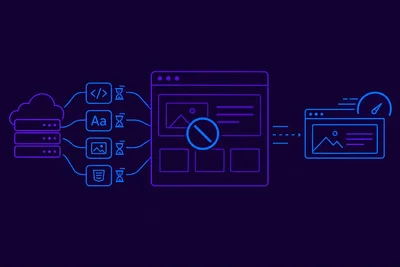
A content delivery network sits between your visitors and your origin server. Normally, it fetches fresh content from your origin, caches it at edge locations around the world, and serves cached copies to nearby visitors. That alone makes a CDN for website speed a smart move, since it cuts the physical distance data has to travel.
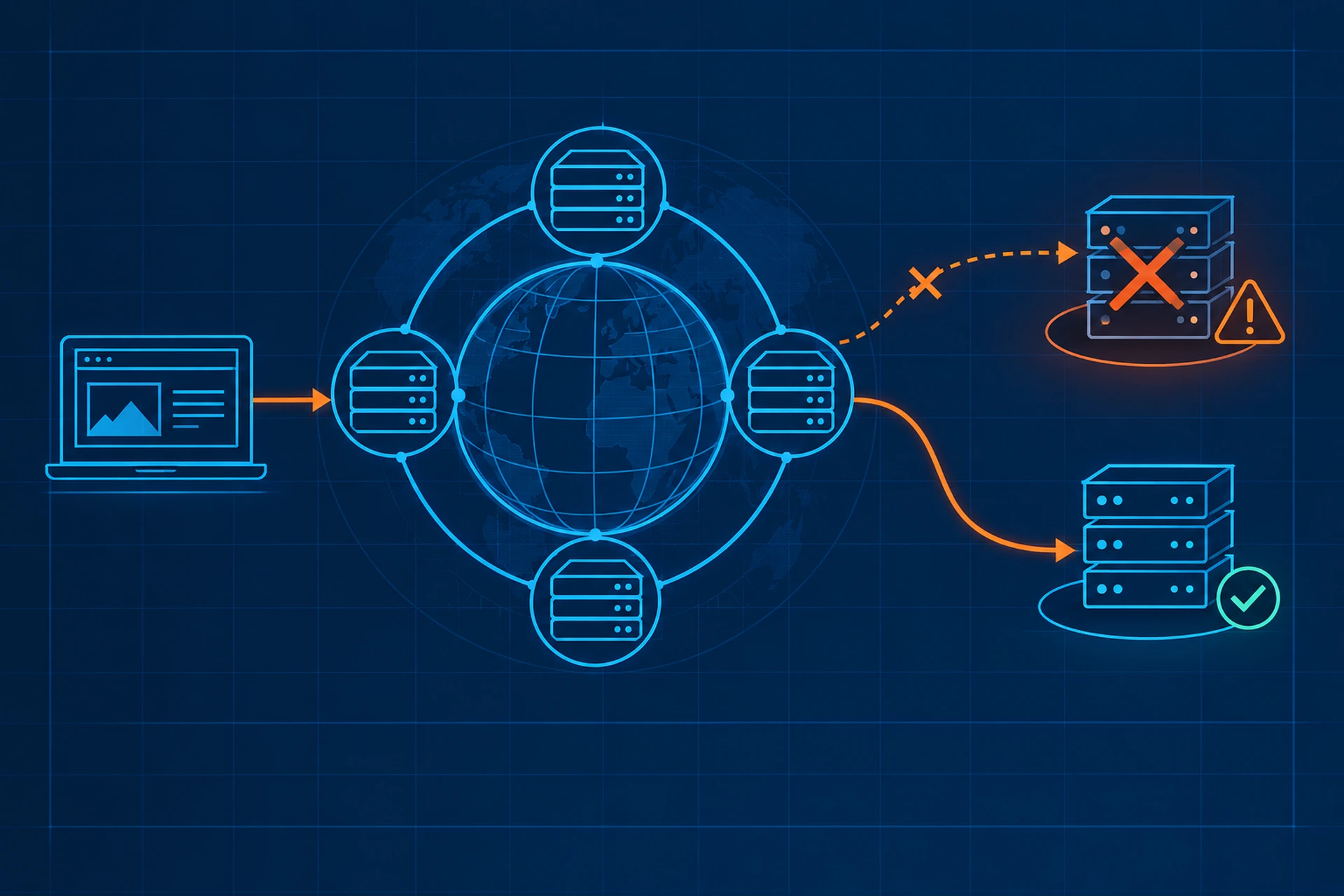
Failover is what happens when your origin can't respond, whether that's a timeout, a 500 error, or the server being completely down. Instead of passing that failure straight to your visitor, a CDN with failover logic can:
- Serve a cached version of the page, even if it's slightly outdated
- Retry the request against a backup origin, if you've configured one
- Serve a custom "stale while revalidating" response that still renders a usable page
- Route traffic to a secondary data center entirely, in multi-origin setups
The result is that your site stays up, or at least stays functional, during the exact moment your infrastructure is struggling the most.
Why This Matters More Than People Think
Origin outages are rarely dramatic. More often, they're brief: a 30-second database lock, a deployment that goes slightly wrong, a traffic spike that overwhelms PHP-FPM workers. These moments are short, but they're also unpredictable, which makes them hard to plan around manually.
Without failover, every one of those blips becomes visible to real visitors. With it, the CDN absorbs the shock. Studies on page abandonment consistently show that even a 2-3 second delay increases bounce rates significantly, and a flat-out error page is far worse than a delay. Failover isn't about speed in the traditional sense, it's about speed never dropping to zero.
Stale-While-Revalidate: The Workhorse Behind Failover
Most modern CDNs support a caching directive called stale-while-revalidate, and a related one called stale-if-error. Here's what a typical cache-control header looks like:
Cache-Control: max-age=300, stale-while-revalidate=60, stale-if-error=86400
This tells the CDN: serve the cached copy for 5 minutes normally, keep serving a slightly stale copy for up to 60 seconds while fetching a fresh one in the background, and if the origin is completely down, keep serving that cached copy for up to 24 hours rather than showing an error. That last part is the failover insurance policy. It's the difference between "my site looks a little outdated for a minute" and "my site is completely unreachable."
Multi-Origin Failover for Bigger Setups
Stale caching handles short blips well, but what about longer outages, like your server needing a reboot or a failed deployment that takes 20 minutes to roll back? That's where multi-origin failover comes in.
In this setup, you configure your CDN with a primary origin and one or more backup origins. If the primary fails a health check (usually a simple HTTP ping every few seconds), the CDN automatically shifts new requests to the backup. Common patterns include:
- A read-only replica server that can serve static or recently cached content
- A secondary VPS in a different data center for full redundancy
- A "maintenance mode" static site that keeps basic information available
This is more involved to set up than simple cache-based failover, but for ecommerce stores or high-traffic sites, it's worth the extra effort. A few minutes of downtime during a sale can cost more than months of hosting fees.
Setting Up Health Checks the Right Way
Failover only works if the CDN actually knows your origin is unhealthy. That means configuring health checks properly:
- Check a lightweight endpoint, not your full homepage, so the check itself doesn't add load
- Set a reasonable failure threshold, like 3 consecutive failed checks, so a single blip doesn't trigger an unnecessary failover
- Monitor both HTTP status codes and response time, since a server that responds with 200 OK but takes 15 seconds is still failing your users
If you want to see this from the user's side, synthetic monitoring tools that check your site from multiple regions give you a clearer picture of what real visitors experience, not just what your server logs say internally.
What a CDN Failover Setup Doesn't Fix
It's worth being honest about limits here. CDN failover protects content delivery, but it doesn't fix the underlying problem. If your database is the bottleneck, failover buys you time, it doesn't resolve slow queries. If your server is underpowered for your traffic, you'll keep triggering failover events until you address the root cause.
Think of failover as a safety net, not a permanent fix. It should buy your team time to investigate and resolve the actual issue without visitors feeling the impact in the meantime.
Bringing It Together
A CDN for website speed does double duty: it makes your site faster under normal conditions and keeps it available when things go sideways. The combination of edge caching, stale-while-revalidate directives, and multi-origin failover means your visitors rarely experience the bad days your server sometimes has.
We've written before about how a CDN changes the geography of your website's performance and how to configure CDN caching rules so dynamic content still stays fresh, both of which pair well with failover planning. If you're also trying to figure out which network footprint fits your audience, our piece on choosing a CDN edge network that actually covers your audience is a good next read.
On the hosting side, a server that's properly monitored catches these origin struggles early, often before a CDN failover even needs to kick in. Pairing solid uptime monitoring with CDN-level redundancy gives you two layers of protection instead of relying on just one.
The Takeaway
Don't wait for an outage to discover your CDN isn't configured for failover. Check your cache-control headers today, confirm your stale-if-error settings are in place, and if your traffic justifies it, look into setting up a secondary origin. A few hours of configuration now can save you from an embarrassing, revenue-losing outage later.