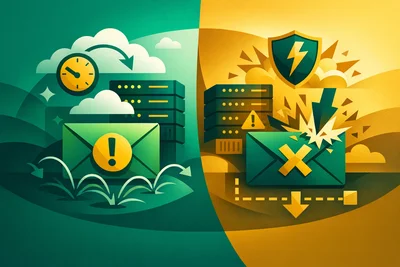
You hit send. The email looks great, the subject line is sharp, and the content is genuinely useful. Then nothing. No replies, no clicks — because your message went straight to spam and nobody saw it.
This happens more often than most people realize, and it's rarely about the words you write. Email deliverability is a technical problem disguised as a content problem. Understanding the difference is what separates businesses that get ignored from businesses that get responses.
What Email Deliverability Actually Means
Email deliverability isn't just whether your email gets sent. It's whether your email actually reaches the inbox — not the spam folder, not the promotions tab, not a black hole.
Every time you send an email, receiving mail servers (Gmail, Outlook, Yahoo, and so on) run a series of checks before deciding where to put it. They look at who sent it, where it came from, what the sending domain's reputation looks like, and whether the message carries certain technical markers that prove it's legitimate.
Fail enough of those checks and your email doesn't make it. Or it makes it, but only to spam. Either way, your message goes unread.
The Technical Reasons Emails End Up in Spam
Most spam filtering happens at the infrastructure level, before any human reads a single word. Here's what actually triggers it.
Missing or Misconfigured SPF Records
SPF (Sender Policy Framework) is a DNS record that tells the world which mail servers are allowed to send email on behalf of your domain. If your SPF record is missing, wrong, or too permissive, receiving servers treat your message with suspicion — or reject it outright.
Think of it like a doorman checking a guest list. No list, no entry.
No DKIM Signature
DKIM (DomainKeys Identified Mail) adds a cryptographic signature to your outgoing emails. The receiving server checks that signature against a public key stored in your DNS. If the signature matches, the email is verified as coming from you. If there's no signature — or it's broken — that's a red flag.
Many email platforms add DKIM automatically, but only if you've added the right DNS records on your end. This is a step a lot of people skip during setup.
No DMARC Policy
DMARC (Domain-based Message Authentication, Reporting, and Conformance) builds on SPF and DKIM. It tells receiving servers what to do when an email fails those checks — quarantine it, reject it, or do nothing. Without a DMARC record, your domain is wide open to spoofing, and many modern mail filters treat that as a trust issue.
If you've set up SPF and DKIM but skipped DMARC, you're two-thirds of the way there. The last step matters.
Sending From a Poor IP Reputation
Every mail server has an IP address. That IP has a reputation score maintained by various blacklists and spam intelligence networks. If someone else on your shared server (or a previous owner of your IP) sent spam, your emails may be tarred with the same brush.
This is one of the less obvious reasons email deliverability suffers, and it's almost entirely outside your control if you're on shared hosting infrastructure. For businesses that send email at any serious volume, this is worth paying attention to. See our email hosting overview for how dedicated infrastructure changes this picture.
A Blacklisted Sending Domain
Your domain itself can end up on a blacklist — especially if you've had a compromised account, sent emails to purchased lists, or had a high complaint rate. Once you're on a major blacklist like Spamhaus, getting off it takes time and a clear track record.
Content and Behavior Still Matter
Technical setup is the foundation, but it's not the whole story. Spam filters are smart. They look at how recipients interact with your emails over time.
- High spam complaint rates — if people frequently mark your emails as spam, filters learn fast.
- Low engagement — emails that never get opened train filters to deprioritize your future messages.
- Spammy subject lines — all-caps, excessive punctuation, and certain trigger words still move the needle.
- Broken or missing unsubscribe links — a legal requirement in most countries, and a spam filter trigger when absent.
- Sending to stale lists — high bounce rates signal that you're not maintaining your list, which hurts your sender reputation.
None of these individually will doom you. But combined with a weak technical setup, they compound quickly.
How to Actually Diagnose an Email Deliverability Problem
If your emails are consistently going to spam, start here before touching any content:
- Check your SPF, DKIM, and DMARC records. Tools like MXToolbox or Google Admin Toolbox let you verify these in seconds. Look for errors or missing records.
- Run your domain through a blacklist checker. MXToolbox's blacklist check covers hundreds of lists at once. If you're listed, it will tell you which ones.
- Send a test email to Mail-Tester.com. It scores your email out of 10 and tells you exactly what's failing — authentication, content, HTML issues, and more. It's one of the most useful free tools available.
- Check your IP reputation. Sender Score (by Validity) gives you a 0–100 reputation score for your sending IP. Anything below 70 is a problem worth investigating.
- Review your bounce and complaint rates. If you use an ESP (email service provider) like Mailchimp or Postmark, these are in your dashboard. High bounce rates above 2% and complaint rates above 0.1% are warning signs.
The Relationship Between Your Hosting Setup and Email Deliverability
DNS is the foundation of email authentication. SPF, DKIM, and DMARC records all live in your domain's DNS. If your DNS is slow, misconfigured, or managed by someone who doesn't know what they're doing, it creates problems that are very hard to trace.
We've covered the broader relationship between your hosting infrastructure and how things like DNS performance affect your business in Why Your Business Email Hosting Choice Affects More Than Just Your Inbox — it's worth a read if you're piecing this together.
For a more hands-on review of your full email setup, How to Audit Your Current Business Email Hosting Setup and Spot What Needs Fixing walks through the process step by step.
What Good Email Deliverability Looks Like in Practice
A healthy email setup looks something like this:
- SPF record that lists exactly the servers allowed to send on your behalf — nothing more, nothing less.
- DKIM configured for every sending service you use (your email host, your newsletter platform, your transactional email provider).
- DMARC set to at least p=quarantine, with reporting enabled so you can see if anyone is spoofing your domain.
- A dedicated sending IP (or a reputable shared pool) with a clean history.
- Regular list hygiene — removing bounces, unsubscribes, and inactive addresses on a schedule.
- Engagement-focused sending — only emailing people who actually want to hear from you.
None of this is complicated once you know what to look for. The hard part is knowing it matters in the first place.
The Takeaway
If your emails are landing in spam, don't rewrite your subject lines until you've checked your authentication records. The technical foundations of email deliverability — SPF, DKIM, DMARC, and IP reputation — are where the real problems usually hide.
Get those right, keep your list clean, and send email people actually want to receive. That's the whole formula. It's not glamorous, but it works.