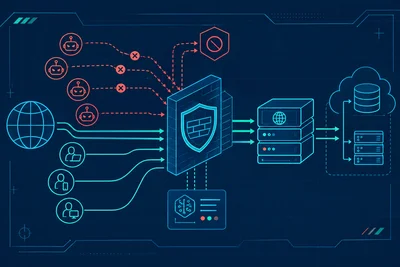
A lot of site owners set up an SSL certificate, install a security plugin, and call it done. It feels responsible. It feels complete. But six months later, their site gets compromised — and they're genuinely confused about how it happened.
Here's the hard truth: website security protection is not a checkbox. It's a practice. Threats evolve constantly, software ages, and attackers are patient. The sites that stay secure are the ones that treat security as something you do, not something you did.
Why One-Time Setups Fail
Think about what a one-time security setup actually protects against. It guards you from threats that existed at the moment you configured it. But the web doesn't stand still.
New vulnerabilities are discovered in popular software every single week. The CVE database — the industry's central record of known security flaws — adds hundreds of new entries each month. A plugin that was perfectly safe when you installed it might have a critical flaw by next Tuesday.
Attackers know this. In fact, many of them specifically target the gap between when a vulnerability is discovered and when site owners actually apply a patch. That window is where most successful attacks happen.
The Decay Problem
Security configurations decay over time. Firewall rules that made sense a year ago may no longer match the threat patterns hitting your server today. A password that was strong in 2022 may have appeared in a data breach since then. An SSL certificate left unmonitored will eventually expire — taking your site's trust signals with it.
Even well-intentioned setups drift. New team members get added. Old access credentials don't get removed. Third-party scripts get embedded into your pages without a full security review. Over time, the gap between what you think your security posture looks like and what it actually looks like can become significant.
What Ongoing Website Security Protection Actually Looks Like
Good security isn't complicated. But it does require consistency. Here's what maintaining strong website security protection looks like in practice.
Keep Software Updated — Without Exception
This is the single highest-leverage thing you can do. Most successful attacks exploit known vulnerabilities in outdated software. WordPress core, themes, plugins, PHP versions, server packages — all of it needs to stay current.
Set a schedule if automatic updates aren't possible. Check for updates at least weekly. And pay attention to security-specific releases — when a developer pushes a patch that mentions a "critical security fix," that update needs to go out the same day.
Monitor for Anomalies, Not Just Outages
A lot of site owners only notice something is wrong when the site goes down. But many attacks are designed to avoid detection. Malware gets injected quietly. Credentials get harvested in the background. Traffic gets rerouted through a compromised redirect.
Good monitoring looks at more than uptime. It watches for unexpected changes in file integrity, unusual login patterns, sudden traffic spikes from unexpected regions, and suspicious database queries. You want to catch something before it causes visible damage.
If you're on a managed hosting plan, your host should be watching your server-level metrics continuously. That kind of infrastructure-level visibility is hard to replicate on your own.
Review Access Controls Regularly
Who has admin access to your site right now? If you're not sure, that's a problem. Access control hygiene is one of the most overlooked parts of ongoing security — and one of the most important.
- Remove accounts for team members who no longer work with you.
- Audit third-party app permissions at least quarterly.
- Enforce strong, unique passwords and require two-factor authentication for admin accounts.
- Apply the principle of least privilege: give users only the access they actually need.
Test Your Backups, Don't Just Create Them
Backups are only valuable if they actually work when you need them. Many site owners discover their backups were misconfigured or corrupted only when they're in the middle of a recovery situation — which is the worst possible time to find out.
We run automatic backups on a regular schedule for every site we host, and you can also trigger a manual backup at any point, browse individual files, and restore specific databases or directories without touching anything else. But regardless of who handles your backups, the rule is the same: test them periodically. Do a dry run. Make sure you can actually restore from a recent backup point.
Stay Informed About the Threat Landscape
You don't need to read security research papers daily, but you should have a basic awareness of what's being targeted right now. Follow a few credible sources — the WordPress security team publishes advisories, Sucuri and Wordfence both run blogs with real attack data, and Google's Security Blog covers broader web threats.
When a major vulnerability is announced in software you use, you want to know about it quickly — not three weeks later when attackers have already moved through the first wave of vulnerable sites.
The Mindset Shift That Changes Everything
The most secure sites aren't the ones with the most tools installed. They're the ones maintained by people who understand that security is a continuous responsibility, not a one-time project.
Think of it like a physical building. You don't just install a lock once and assume you're protected forever. You check that the lock works. You notice when a window is left open. You update the key when someone leaves. You stay alert.
Website security protection works the same way. The goal isn't perfection — it's consistency. Regular updates, active monitoring, clean access controls, tested backups, and a willingness to stay informed. That combination, practiced over time, is what actually keeps sites safe.
If any of that feels overwhelming, a managed host that handles the infrastructure-level work for you is worth the investment. The less you have to think about server configuration and patch management, the more energy you have for the security practices that require your direct attention.