You send an email. It doesn't arrive. Most people assume the message just got lost somewhere along the way. But your sending server knows exactly what happened - and it recorded whether that failure was a temporary hiccup or a permanent dead end.
That distinction matters a lot. Email bounces fall into two very different categories, and treating them the same way is one of the quieter ways businesses slowly damage their email deliverability without realizing it.
What a Bounce Actually Is
When your email can't be delivered, the receiving mail server sends back a failure notification called a bounce message. This isn't a spam filter quietly discarding your message - it's an explicit rejection that comes with a reason code.
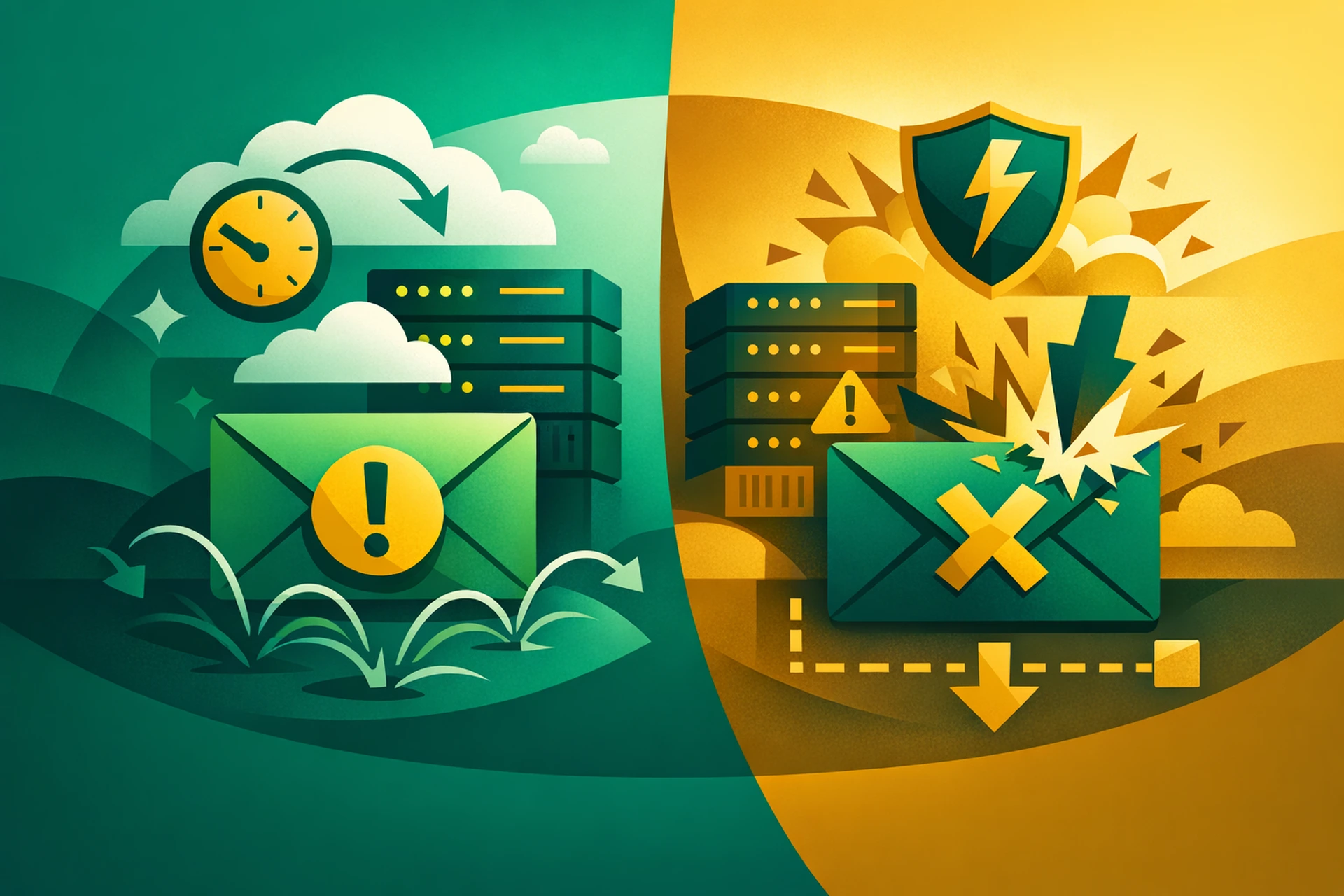
Those reason codes tell your sending platform whether the failure is worth retrying or whether that address should never be contacted again. That's the core of the soft bounce vs. hard bounce distinction.
Soft Bounces: Temporary Delivery Failures
A soft bounce happens when the receiving server accepts that the email address is valid, but can't deliver the message right now. The word "temporary" is doing a lot of work here - it can mean anything from a few minutes to several days.
Common Causes of Soft Bounces
- Full mailbox: The recipient's inbox has hit its storage limit and can't accept new messages.
- Server temporarily unavailable: The receiving mail server is down or unreachable at the moment of delivery.
- Message too large: Your email exceeds the size limit set by the recipient's mail server.
- Auto-reply or vacation hold: Some out-of-office configurations trigger what looks like a soft bounce.
- Greylisting: Some servers temporarily reject messages from unknown senders and ask them to retry - a common spam-filtering technique.
Most email sending platforms will automatically retry soft bounces over a set period, typically 24 to 72 hours. If the message still can't get through after repeated attempts, it gets logged as a final failure.
What Soft Bounces Mean for Your Deliverability
A single soft bounce from an address doesn't mean much. People go on holiday. Servers have maintenance windows. Inboxes fill up.
The problem is when an address soft bounces repeatedly over multiple sends. That pattern tells inbox providers that you're either not cleaning your list or that you're sending to disengaged recipients. Either way, it starts to pull your sender reputation down.
A good rule of thumb: if an address has soft bounced three or more times across separate campaigns with no successful deliveries in between, treat it like a hard bounce and remove it.
Hard Bounces: Permanent Delivery Failures
A hard bounce means the email cannot be delivered - ever - to that address. The receiving server is telling you clearly that the address doesn't exist, has been closed, or is actively blocking your domain.
Common Causes of Hard Bounces
- Invalid or non-existent address: The email address was typed wrong, made up, or the account was deleted.
- Domain doesn't exist: The domain in the email address has expired or was never registered.
- Recipient server blocking your domain: The receiving server has a permanent block against your sending domain or IP address.
Unlike soft bounces, there's no retry logic here. The message is gone. And the address should come off your list immediately.
Why Hard Bounces Are So Damaging to Email Deliverability
Inbox providers like Gmail, Outlook, and Apple Mail track your bounce rates carefully. A hard bounce rate above 2% is enough to trigger serious scrutiny. Above 5%, you're likely heading toward sending restrictions or full blacklisting.
The reason is simple. A clean list means you know your audience. High hard bounce rates suggest you're either buying lists, collecting addresses carelessly, or neglecting basic hygiene. None of those are traits inbox providers want to reward with inbox placement.
We covered the mechanics of how sender reputation gets built and eroded in How Sender Reputation Works and Why It Is the Foundation of Email Deliverability - and hard bounces are one of the fastest ways to damage it.
How to Manage Both Types Correctly
Hard bounces: Remove immediately, no exceptions
The moment you get a hard bounce, that address goes. Not to a separate "maybe" list. Not to a re-engagement campaign six months from now. Off your list entirely. Continuing to send to addresses that generate hard bounces tells every inbox provider that you don't care about list quality - and they'll treat your future emails accordingly.
Soft bounces: Monitor, don't panic
Give soft bounces a window. Most reputable sending platforms handle retries automatically and flag addresses that fail repeatedly. Set a threshold - whether that's three consecutive soft bounces or soft bounces across three separate campaigns - and suppress those addresses when they hit it.
Build better collection habits to prevent both
Most hard bounces come from one of two sources: typos at sign-up, or old addresses that have since been abandoned. Double opt-in solves most of the typo problem. Regular list cleaning handles the aging problem.
Running email verification before importing a new list is also worth doing. Most verification tools can flag invalid addresses, role-based addresses (like info@ or admin@), and known spam traps before you ever send a message to them.
The Bounce Rate Numbers That Actually Matter
Here's a quick reference for how inbox providers generally interpret bounce rates:
- Under 2% hard bounce rate: Acceptable. Most good senders sit here.
- 2-5% hard bounce rate: Warning territory. Your deliverability is starting to take damage.
- Above 5% hard bounce rate: Serious risk of sending restrictions or blacklisting.
- Soft bounce rate under 10%: Normal range depending on your industry and list age.
- Soft bounce rate above 10% consistently: Worth investigating. Could indicate a stale list or audience disengagement.
These aren't hard rules - different platforms have different tolerances. But they're useful benchmarks to keep in mind when reviewing your campaign reports.
How Your Email Infrastructure Connects to All of This
One thing many senders overlook is that bounce rates don't just reflect your list quality - they also reflect how well your sending infrastructure is configured. If your SPF, DKIM, and DMARC records aren't set up correctly, some receiving servers will reject your messages in ways that look like soft bounces but are actually authentication failures. That's a different problem, but it shows up in the same reports.
If you're seeing high bounce rates on a list you know is clean, authentication issues are the first thing to investigate. You can dig deeper into what drives inbox placement decisions in The Email Deliverability Factors That Inbox Providers Use to Judge Every Message You Send.
It's also worth understanding the bigger picture of how these metrics connect. If your bounce rates are climbing alongside declining open rates, that usually points to a list health problem rather than a technical one. We covered the relationship between list engagement and inbox placement in Email Deliverability for Marketing Teams: Why Your List Quality Matters More Than Your Design.
The Short Version
Soft bounces are temporary. Monitor them, retry automatically, and suppress addresses that fail repeatedly. Hard bounces are permanent. Remove them the moment they appear, without exception.
Neither type is something to ignore. Email deliverability is built on consistency - and consistent list hygiene is one of the few things entirely within your control.