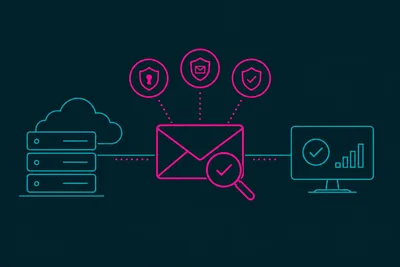
You send a perfectly normal newsletter. A few hours later, your open rates dip. A week later, more of your emails land in spam folders instead of inboxes. What happened? Somewhere along the way, someone clicked "Report Spam" instead of "Unsubscribe." And that one click set off a chain reaction you never saw happen.
Understanding how spam complaints actually travel, and who sees them, helps explain why your email spam prevention strategy needs to go beyond just avoiding sketchy subject lines.
What Happens the Moment Someone Clicks "Report Spam"
When a recipient marks your email as spam in Gmail, Outlook, or Yahoo, that action doesn't just hide the message from their inbox. It triggers a report that gets sent back through something called a feedback loop, straight to the mail server that sent the message.
If you're sending from your own domain and server, that report comes back to you or your hosting provider. If you're using a third-party sending service, they get the report and often forward a summary to you. Either way, that single click is now a data point tied permanently to your sending domain and your server's IP address.
Feedback Loops: The Mechanism Behind the Scenes
Major inbox providers run what's called a Feedback Loop, or FBL. It's an agreement between the mailbox provider and sending servers: when a user complains, the provider sends an automated report back to the source. This report includes details like the message headers and the fact that a complaint was filed.
Not every provider participates the same way. Gmail uses its Postmaster Tools to show aggregate complaint rates rather than individual reports. Microsoft and Yahoo have historically run more direct FBL programs. But the underlying idea is consistent everywhere: complaints get tracked, and they get tracked against you specifically, not against the recipient who filed them.
Why a Handful of Complaints Can Hurt So Much
Here's the part that surprises a lot of senders: it doesn't take many complaints to cause damage. Most inbox providers consider a complaint rate above 0.1% a warning sign. That means out of 1,000 emails sent, just one or two complaints can start tipping the scale against you.
Compare that to bounce rates, where providers tolerate a bit more slack. Complaints are treated much more seriously because they represent a real person telling the inbox provider, in effect, "I don't want this." That's a stronger signal than a bounced address, which might just mean a typo or an old account.
The Reputation Score Nobody Shows You
Every sending domain and IP address builds up an invisible reputation score with each major mailbox provider. This score factors in your complaint rate, bounce rate, engagement rate, and authentication setup. When complaints spike, that score drops. And once it drops, inbox providers start routing more of your mail to spam, even for people who never complained.
This is the part that catches senders off guard. It's not just the people who reported you who stop seeing your emails. Your entire list can suffer because the provider now treats your whole sending pattern with more suspicion.
Common Reasons People Click "Report Spam" Instead of Unsubscribing
- They can't find the unsubscribe link. If it's buried in tiny gray text at the bottom of a long email, spam is the path of least resistance.
- They forgot they signed up. This happens constantly with old sign-up forms or list purchases.
- You're sending too often. Frequency fatigue turns curiosity into annoyance fast.
- The content doesn't match what they expected. If someone signed up for a free guide and now gets daily promotions, that mismatch breeds complaints.
Notice that none of these require malicious intent from the recipient. Most people who report spam aren't trying to hurt you. They just want the emails to stop, and reporting is faster than hunting for an unsubscribe link.
How to Reduce Spam Complaints Before They Start
Make Unsubscribing Effortless
Put your unsubscribe link somewhere visible. Use plain language. A one-click unsubscribe process removes the temptation to hit the spam button out of frustration.
Set Expectations at Signup
Tell people exactly what they're signing up for and how often they'll hear from you. If you promised a weekly digest, don't send daily promotions. Mismatched expectations are one of the most preventable causes of complaints.
Confirming subscriptions with a double opt-in step also filters out people who never really wanted your emails in the first place, which we cover in more detail in Why Double Opt-In Is One of the Most Effective Email Spam Prevention Strategies Available.
Watch Your Sender Reputation Directly
Tools like Google Postmaster Tools and Microsoft SNDS let you see your complaint rate and reputation status directly from the source. Checking these regularly means you catch a problem while it's small, rather than after your whole list starts landing in spam.
This connects closely to broader sender reputation, which we explain in How Sender Reputation Works and Why It Is the Foundation of Email Deliverability.
Clean Your List Regularly
People who haven't opened an email in six months are far more likely to forget who you are and hit report. Pruning inactive subscribers, or re-engaging them with a specific campaign first, keeps your active list full of people who actually want to hear from you.
What Good Email Hosting Does Behind the Scenes
A properly configured mail server also plays a role here. Correct SPF, DKIM, and DMARC records help inbox providers trust that your mail is legitimately from you, which affects how harshly they weigh any complaints that do come in. If you're managing your own domain's email, it's worth checking that these are set up correctly rather than assuming they are. Good business email hosting handles this configuration correctly from the start, so you're not troubleshooting authentication issues after your reputation has already taken a hit.
We also touched on the server-side misconfigurations that quietly damage sending reputation in Why Spammers Love Misconfigured Email Servers.
The Takeaway
A spam complaint isn't a private annoyance between you and one recipient. It's a signal that travels back through feedback loops straight to the inbox providers deciding whether your future emails deserve a spot in the inbox. Keep your complaint rate low by making unsubscribing easy, setting honest expectations, and watching your reputation metrics before they become a real problem. Treat every complaint as data, not just noise, and you'll keep your sending reputation intact.